
“BioMaint helps us coordinate customer requests, service assignments, parts usage, and follow-up from one connected system. It gives our team better visibility of pending jobs, completed work, and service reporting.”

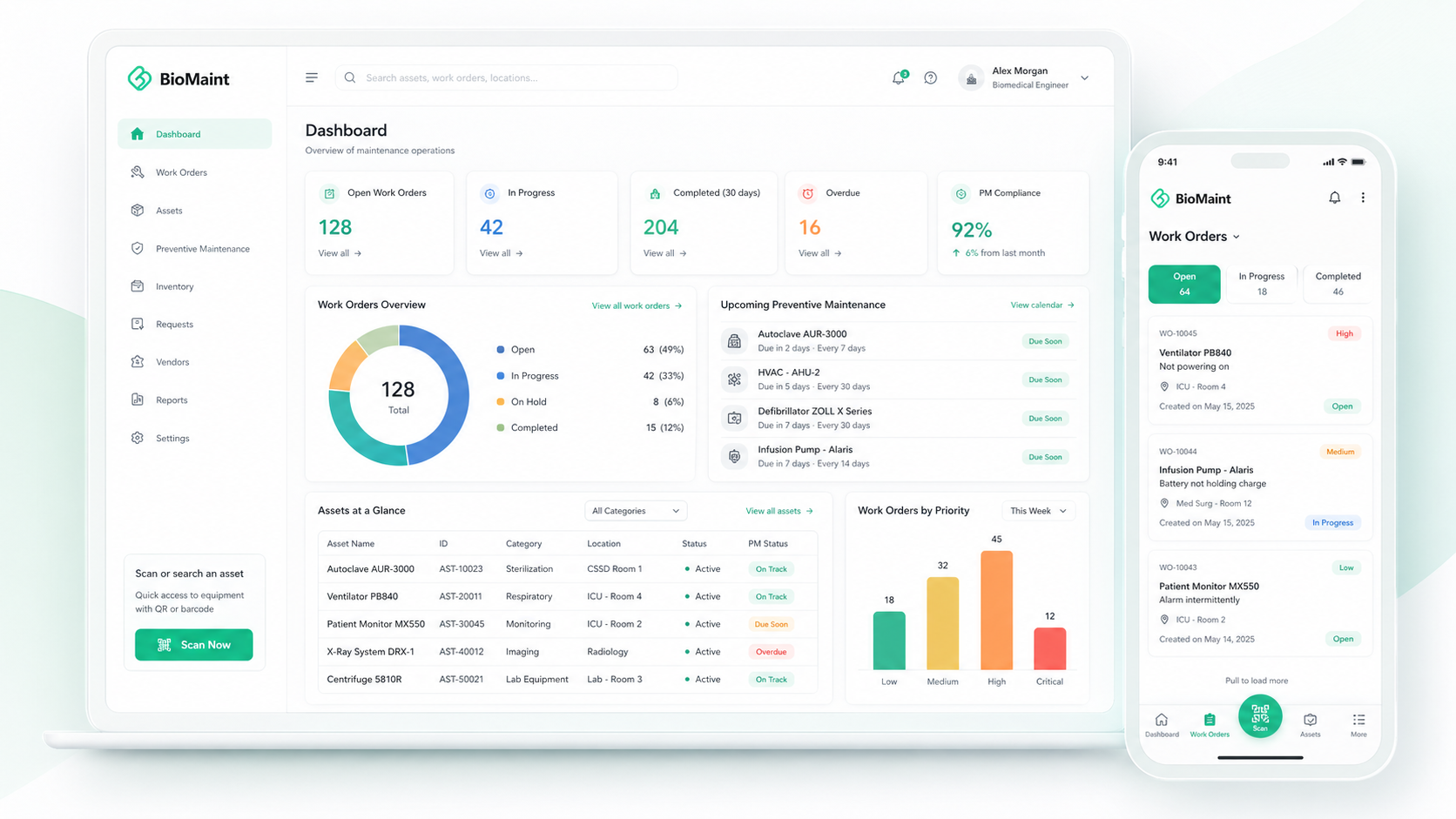
Plan preventive maintenance, manage work orders, and track equipment, parts, and service history in one modern CMMS.
Mobile-first • QR/Barcode ready
Centralize requests, PM schedules, equipment records, inventory, vendors, and reports so your team can work faster with complete visibility.
Create, assign, prioritize, and close maintenance jobs with clear status, SLA tracking, and full service history.
Schedule time-based and usage-based PMs to reduce breakdowns and keep equipment ready.
Receive service requests from users, track progress, and keep requesters informed with live status.
Manage asset details, documents, warranty, QR codes, service history, and lifecycle records in one place.
Track stock levels, vendors, purchase costs, usage, returns, and parts consumption for every job.
Standardize PM, inspection, and safety checks with ranges, photos, remarks, and pass/fail results.
Monitor downtime, PM compliance, MTTR/MTBF, costs, workload, and maintenance performance trends.
Scan QR codes, create requests, update jobs, add photos, and complete work directly from the field.
Scan equipment, view service history, capture photos and notes, log time, and close jobs directly from the field.
Track downtime, MTTR, MTBF, PM completion, and maintenance cost trends from your work order data.
BioMaint helps maintenance teams track downtime, PM completion, repair speed, equipment reliability, and cost trends from one connected workspace.
See how BioMaint helps service teams manage requests, assignments, PMs, equipment history, parts, and reporting in one connected CMMS.
“BioMaint helps us coordinate customer requests, service assignments, parts usage, and follow-up from one connected system. It gives our team better visibility of pending jobs, completed work, and service reporting.”

“BioMaint helps our engineers complete field service jobs with photos, checklists, parts, notes, and completion records in one place. It makes service history easier to track, review, and support after the job is closed.”
Submit a service request or scan a QR code to select the right equipment.
Schedule PMs, assign work orders, and prepare the required tasks and parts.
Technicians update jobs with parts, photos, notes, time, and signatures.